TT MK3 Smartphone Interface
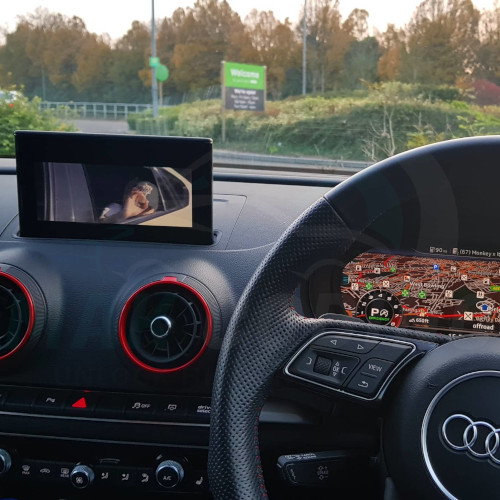
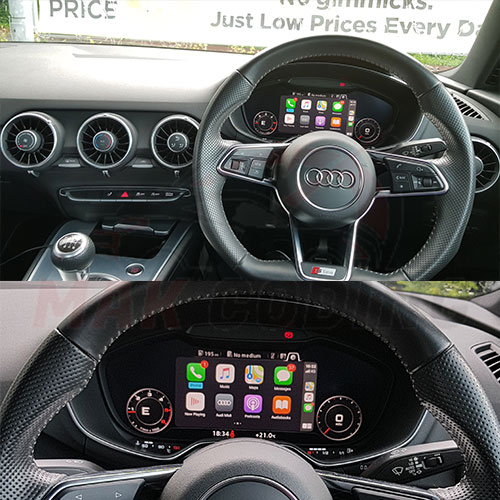
Description Audi TT MK3 Smartphone Interface Activation Activation of Smartphone Interface on your Audi TT MK3 (2014 models). This will allow you to use factory Apple Carplay / Android Auto in your Audi TT / TT S / TT RS MK3 just as if it came from factory. Smartphone Interface takes over the entire virtual cockpit on the TT MK3, making the cockpit a very beautiful and elegant place to be. All Audi TT MK3’s come with the necessary hardware for Smartphone interface but not activated. We can simply connect and activate this feature for you in matter of minutes whilst you wait and at a very low price when compared to Audi. Some of our customers have been quoted £350 from dealers !! Compatibility To check if your car can get Audi Smartphone Interface activated, please contact us with the following information: Details of your car (Name & Year) Picture of your Software Version screen (We can help with this) Best way to get in touch is via WhatsApp ( 447366188993) as we can communicate quickly and send images etc. Activation Method In Bradford – You can drive down to our workshop in Bradford and have us activate these features. in London – You can drive down to our agent in London and have us activate these features. Remotely – We are able to carry out a remote activation of these features, however you will need few things 32GB SD Card (San Disk) Windows Laptop/PC (No work laptops) TeamViewer (For Remote Access) PassThru Cable (GoDiag J2534 / Open Port 2.0) – This is only needed if you want Navigation activating. Not needed for Carplay/Android Auto or Map Update We update your MMI to latest software version, then connect remotely to your laptop and setup files for your car and copy them to SD Card. Then guide you on how to update the files in your car (its very easy process) and once finished, you will have it all activated. If you opted for navigation activation, then you will need a Pass Thru cable to carry out few more coding tweaks. We will guide you through on what the do. This isn’t needed for Carplay/Android Auto or Map Update. NO MACBOOKS, NO iMACs, NO USBs, NO WORK COMPUTERS. ACCESS VIA TEAMVIEWER REMOTELY IS NEEDED. If your car is 2014/15/16 model, it will need virtual cockpit updating for the ASI icon to show on the main menu so Carplay & Android Auto can work properly. We can do the flash for you remotely but you might need a 10mm socket/spanner to remove negative terminal of the battery after the flash, not all cars need this but some do. Why buy from us? Fast & Easy In-Person Activation Customer friendly, will respond to all your questions unlike other sellers After sale support Own a BMW? We can activate Apple Carplay on them too Navigation Activation All Audi TT MK3’s come with the necessary hardware for navigation but not activated. We can simply connect and activate this feature for you in matter of minutes whilst you wait and at a very low price when compared to Audi. Some of our customers have been quoted £1600 from dealers !! Frequently Asked Questions Q1. What features will this activation give me? This will activate the factory/OEM Smartphone Interface in your Audi TT MK3, and will operate the same as if it was done from factory. Q2. How long does this process normally take? The process takes around 30 minutes, depending on if your MMI needs an update. Remotely, it can take 1-2 hours. Q3. Can the navigation be activated at the same time? Yes! We can activate this for extra at the same time whilst activating Smartphone Interface. Q4. Where will this activation take please? Do I need to bring the car to you? Activation will take place in Bradford (UK) and you will need to bring the car to us. We don’t travel out to customers. We can also activate this feature remotely, please message us for more information. Q5. Do I have to connect my phone using cable? Yes, Audi’s only have wired Apple Carplay / Android Auto. We recommend a genuine cable. Q6. How do I check what software version my headunit is at? Press and hold NAV/MAP MEDIA buttons together for around 10 seconds, another menu should pop up titled “Engineering Menu” then scroll down to Software version and send us a pic.